Corebound is a small 3D game built for the Unity 101 final project. Roll through an orbital station, collect eight cyan energy cores, then reach the orange reactor. The course has three connected sectors, two gaps to boost across, and moving red scanners that send the sphere back to a checkpoint.
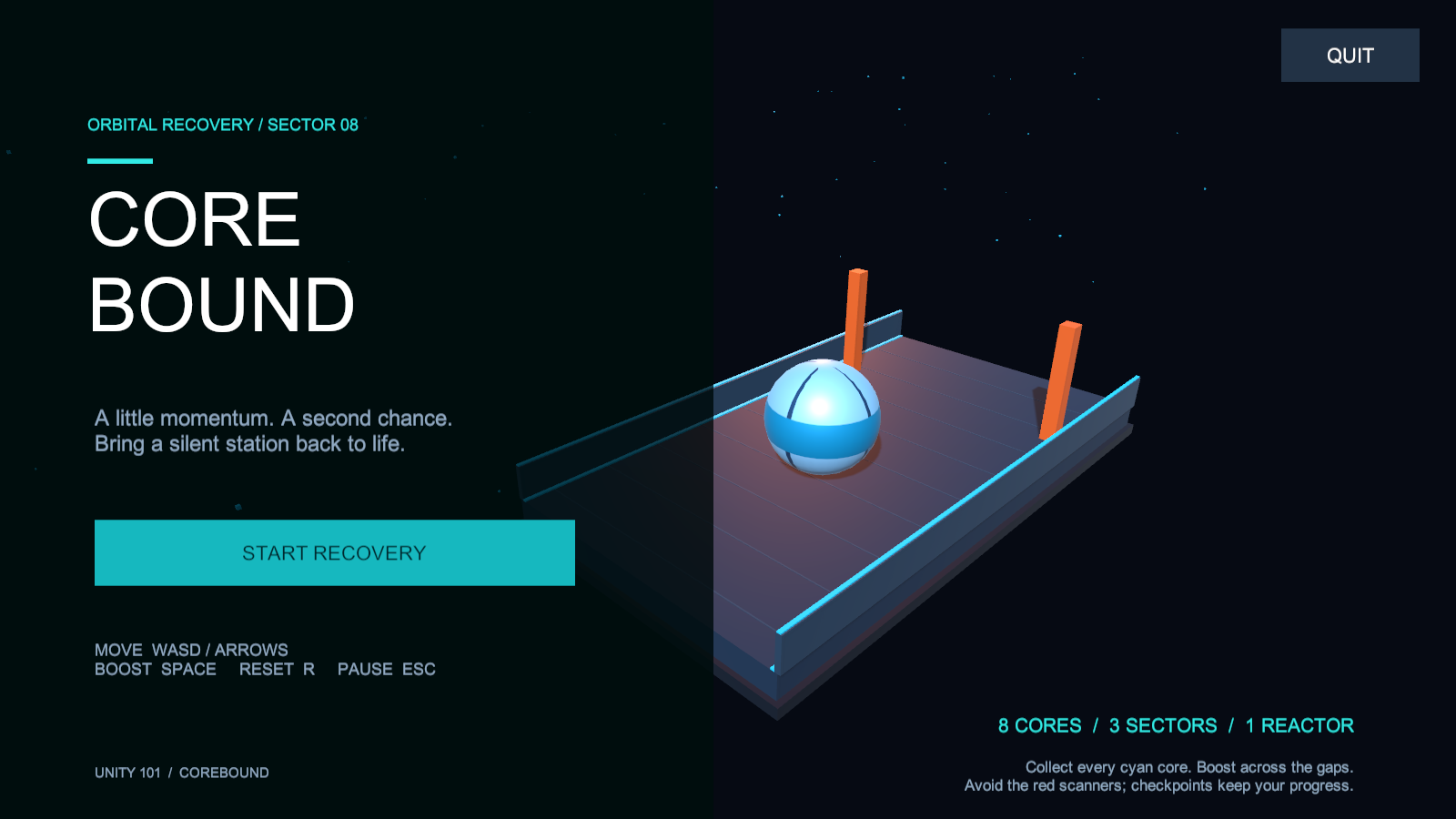
The brief asked for a 3D game with a Prefab instance, physics collisions, an instant-force boost, a live UI, a menu-to-game scene transition, audio, and an accessible Quit button. The deliverables are a complete Windows build, a public Git repository, and a post-mortem of no more than two pages. Complexity was not a requirement, so the project stays small.
Moving a Rigidbody Link to heading
The player is a dynamic sphere. WASD or the arrow keys control movement on the X/Z plane. Normal movement applies acceleration towards a target horizontal velocity of 7.5 units per second. The platforms and walls have static colliders; the scanners use kinematic Rigidbodies moved during physics updates.
Space applies an impulse in the current or last movement direction, with a small upward component:
Body.AddForce(direction.normalized * boostImpulse
    + Vector3.up * boostLift, ForceMode.Impulse);
The horizontal impulse is 9.5 and the upward component is 4.3, with a Rigidbody mass of 1. Boosting requires ground contact and has a 1.8-second cooldown. For 0.55 seconds after a boost, normal velocity correction is suspended so it does not immediately brake away the impulse.
The first gap is three units wide; the second is four. Approach the orange marking, then boost forward. There is no separate jump. Checkpoints after each gap retain collected cores, so falling does not restart the whole run.
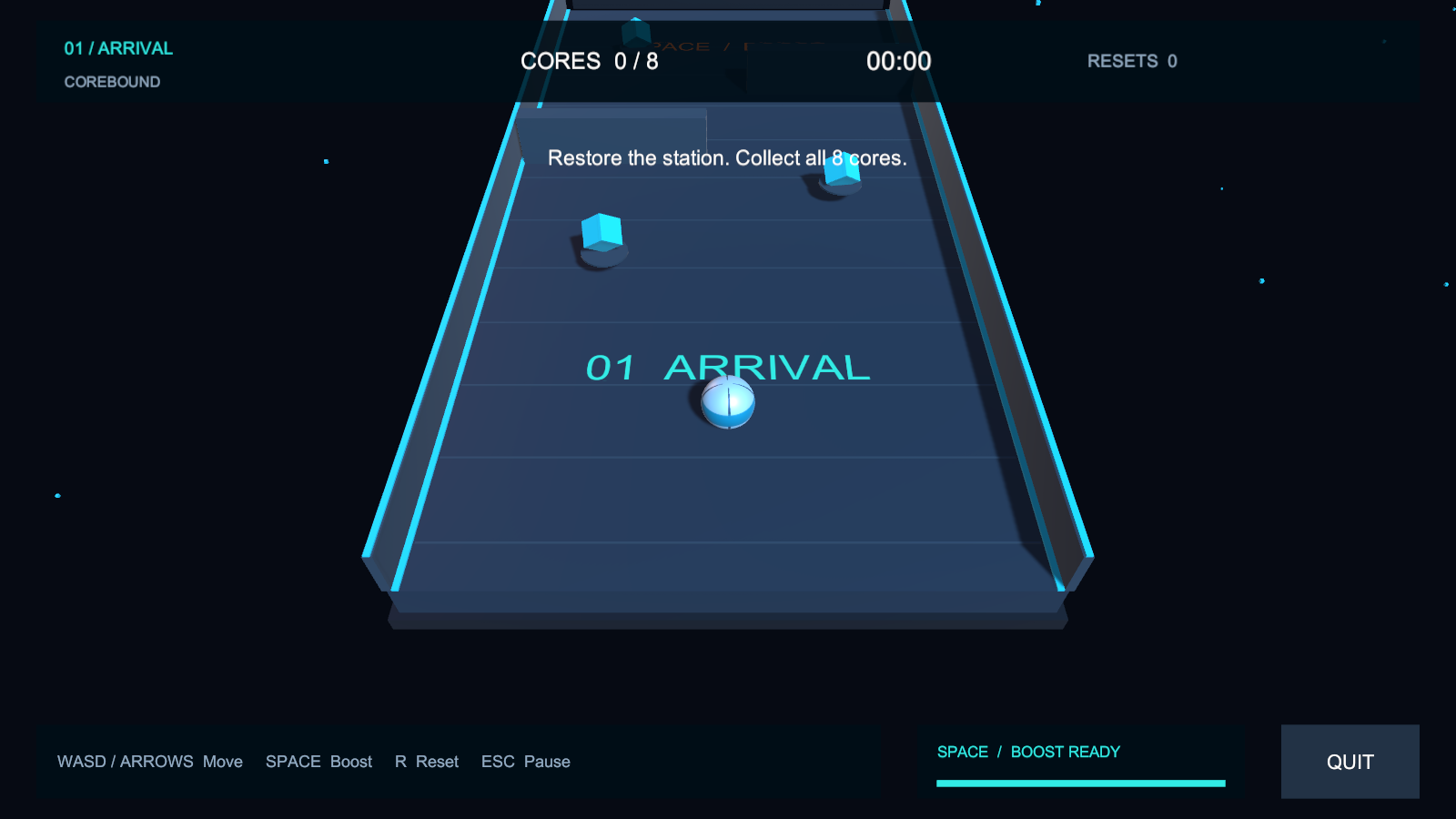
The first sector. Three cores here, three in the scanner sector, and two before the reactor.
Keeping the parts editable Link to heading
MainMenu and Game are saved Unity scenes. CoreSpawner creates the eight pickups from EnergyCore.prefab at runtime. Their positions are exposed in the Inspector. Movement settings, scanner speeds, level geometry and Canvas elements can also be changed in the editor.
The HUD shows the current sector, collected cores, elapsed time, resets and boost cooldown. It has pause, restart and menu actions. Quit remains accessible during normal play, pause and victory.
The geometry is built from Unity primitives, with original materials and a generated striped sphere texture. Six WAV assets were synthesized for collection, boost, reset, checkpoint, victory and looping ambience. Pickup rotation, bobbing and a particle burst add feedback without requiring character animation.
A UI problem caught in screenshots Link to heading
The initial gameplay checks passed, but the screenshots showed floor lettering competing with the pause and victory panels. A recent reset message could also remain above the victory heading.
Changing the floor labels from legacy TextMesh to World Space Canvas text was not enough. The lettering still showed through the modal background. The final HUD hides floor-label canvases whenever the game is paused or won. It also hides temporary messages during these states and clears the stored message on victory.
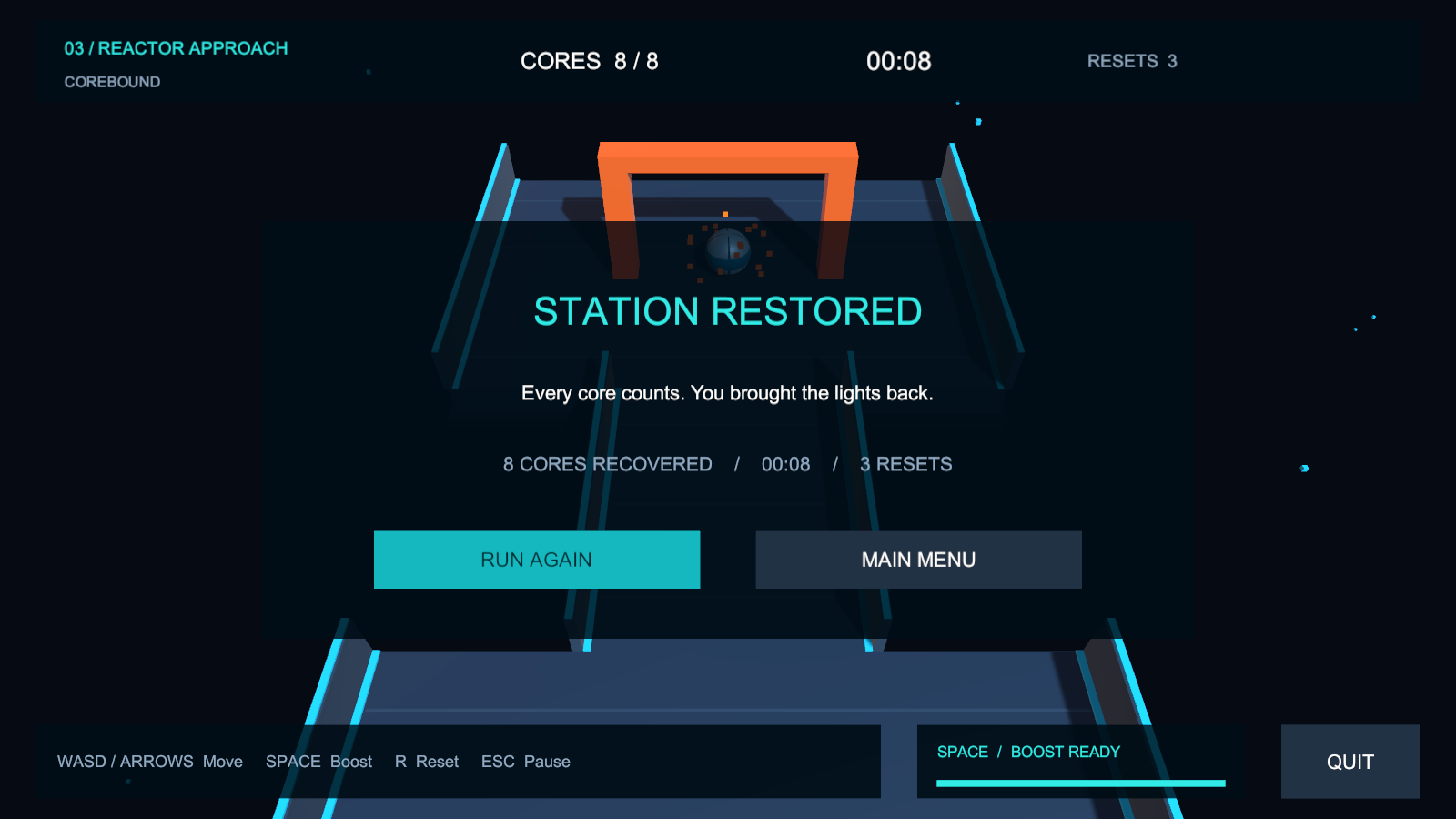
Final victory state. No floor label or old reset message competing with the heading.
The two-page development post-mortem describes the failed first assumption and the final visibility rules in more detail.
Windows checks Link to heading
The project uses Unity 6000.0.23f1, the Built-in Render Pipeline and the Mono scripting backend. An opt-in runner was executed in the actual Windows player. 28 checks passed, covering menu loading, pickup instantiation, ground contact, boost cooldown, physical flights across both gaps, collision resets, checkpoint triggers, collection, HUD updates, pause, victory, replay and return to the menu.
Screenshots were rendered from the running player and inspected separately. The first hidden-window captures were black, so capture was changed to an explicit camera render into a RenderTexture. This affects the verification capture only; normal play uses the regular overlay HUD.
Some checks reposition the sphere to isolate a trigger. These results do not stand in for a complete human keyboard playthrough. Movement feel, difficulty and perceived audio loudness still need a manual review before hand-in.
Downloads Link to heading
- Public Unity source repository
- Download the complete Windows build
- Download the two-page development post-mortem
- Recorded verification checks
Extract the whole Windows archive, then run Corebound.exe. Keep the data folders and DLLs beside it. For editing, add the repository folder to Unity Hub, open it with 6000.0.23f1, then open Assets/Scenes/MainMenu.unity and press Play.
WASD / arrows to move, Space to boost, R to reset, Escape to pause. Collect every core before entering the reactor.