Lecture 10 - The shape of smartphones Link to heading
Earlier keyboard-based smartphones reserved much of their front surface for typing. Touchscreens gave that space to the display: the same surface could become a keyboard, a map, or a video player. Larger screens suited reading and media, but also made one-handed use harder.
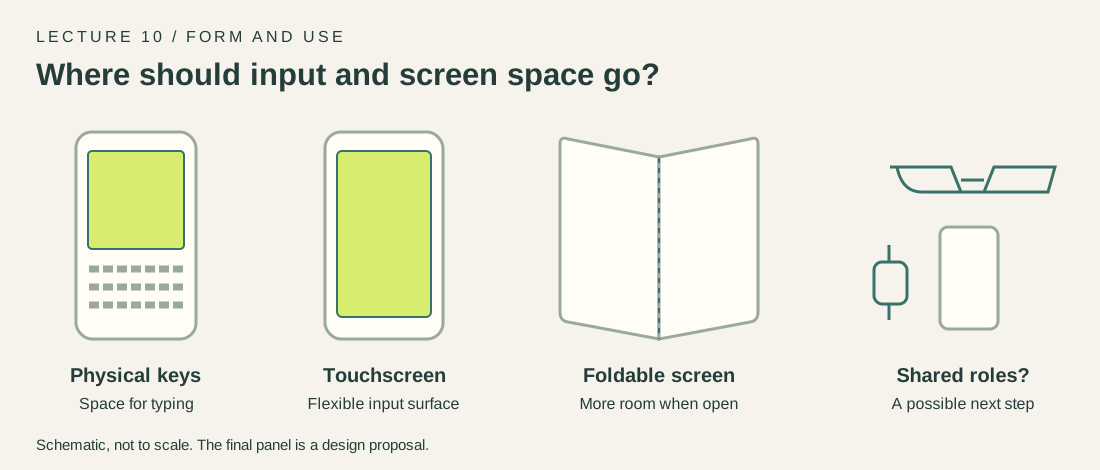
Changes in input and screen space. The last panel is a proposal, not a product forecast.
Foldable phones address a different compromise: a larger display when open, with a smaller object to carry when closed. The hinge and flexible display also add constraints around thickness, durability, and repair.
I expect several shapes to coexist. Better foldables may suit people who need a larger workspace. For quick directions and messages, glasses or a watch could reduce how often the phone is taken out. The phone could remain the place for private reading, detailed input, and computing power. A new shape needs a useful everyday advantage; novelty alone isn’t enough.
Lecture 11 - The Computer for the 21st Century Link to heading
Mark Weiser’s 1991 paper describes computing woven into everyday surroundings. His tabs, pads, and boards operate at different scales, rather than forcing every task onto one personal machine.
We have part of that world. Small networked devices, wearables, tablets, and shared displays are familiar. Sensors can make an environment respond to context. The hardware and connectivity are much closer to his vision.
But having many connected devices isn’t the same as making them fade into the background. Pairing, accounts, incompatible apps, and repeated notifications often make the technology more noticeable. A system can also misunderstand who is present or what they want.
What is missing is dependable cooperation: devices should pass a task between them with little setup, explain mistakes, and allow manual control. Privacy needs to be built in, particularly when sensing includes people who didn’t choose to use the system. Weiser discussed that risk too.
For me, the test is a quiet room that helps with a task without demanding constant management. More screens or more notifications would not, by themselves, fulfil that idea.
Lecture 12 - A future MR app store Link to heading
Assume MR headsets are as common as phones. I would expect frequently used, practical applications to attract more downloads than experiences people try only once. These are three candidates, not a measured ranking.
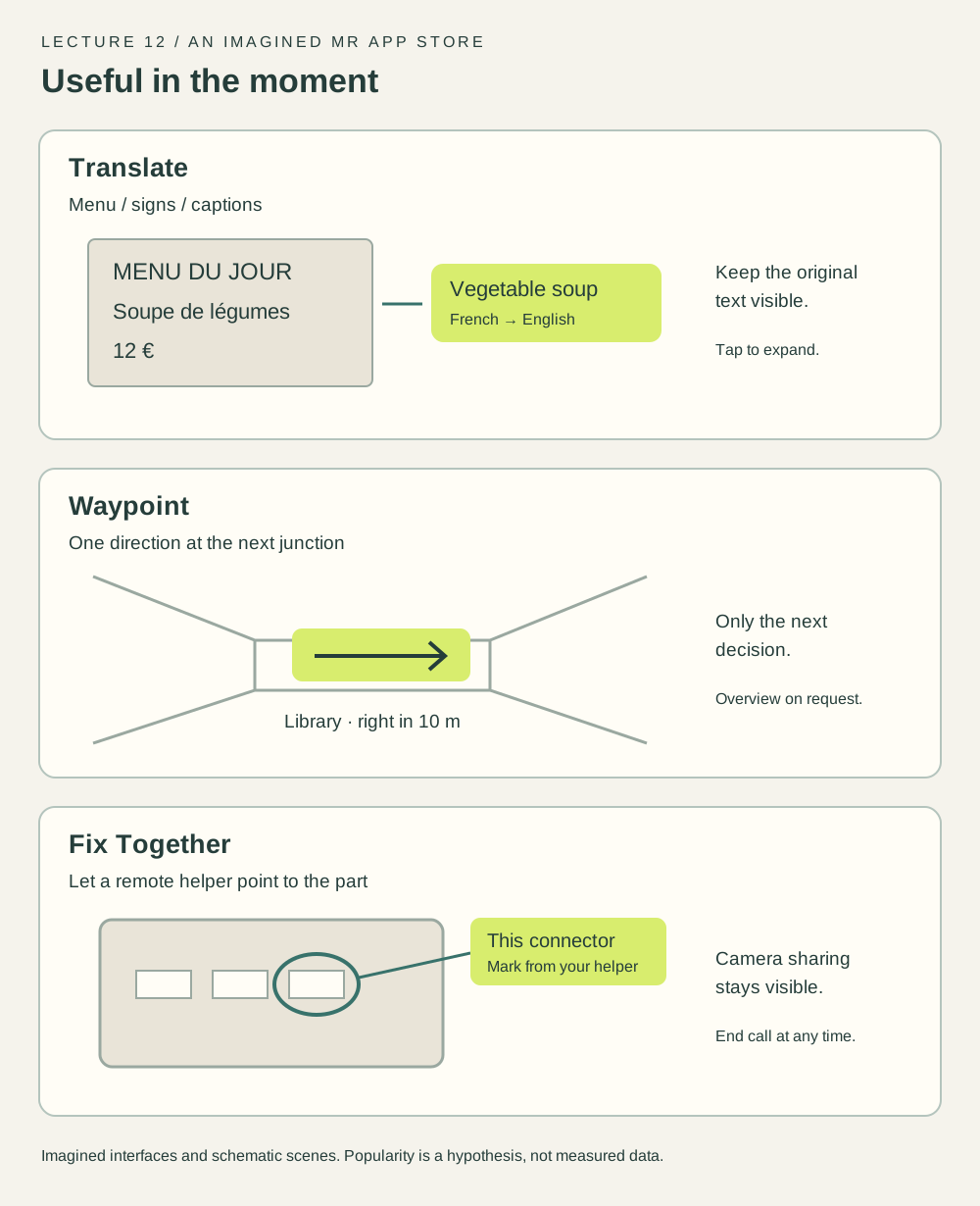
Sketches of three proposed apps. All labels and scenes are illustrative.
Translate. Show a short translation beside a menu or sign, with optional conversation captions. It solves a recurring problem during travel and study. The original text should stay visible, and uncertain words should be marked instead of presented as certain.
Waypoint. Display the next direction at the relevant junction, then hide it until needed. Shopping centres, stations, and unfamiliar campuses give it repeat use. It would depend on reliable indoor maps and positioning; an arrow should never hide uncertainty about where the person is.
Fix Together. Let a remote helper mark a real object in the wearer’s view. A friend could point to the correct cable or control without saying “the one on the left” repeatedly. The call should show when the camera is shared and stop sharing immediately when the user ends it.
I’d put Translate and Waypoint ahead for frequency of use. Fix Together is less frequent, but potentially valuable when a description or ordinary video call isn’t clear enough. None needs a full virtual world; each adds a small piece of information to the current task.