Unity was already working for my Computer Graphics project, Corebound. For this lab, I am documenting that existing environment and its recorded results instead of creating another empty project. The screenshots below come from the Windows player run on 11 October 2026.
The separate ML-Agents lab adds trained reaching and chasing policies. This page remains the basic Unity setup record.
Environment and project structure Link to heading
Corebound uses Unity 6000.0.23f1, the Built-in Render Pipeline, and a Windows build with the Mono scripting backend. It is a small 3D game: move a sphere, collect eight energy cores, and reach the reactor.
To open the project, add its folder in Unity Hub with Add project from disk, choose the matching editor version, and open Assets/Scenes/MainMenu.unity. Press Play to start from the menu. The menu’s start button loads the Game scene.
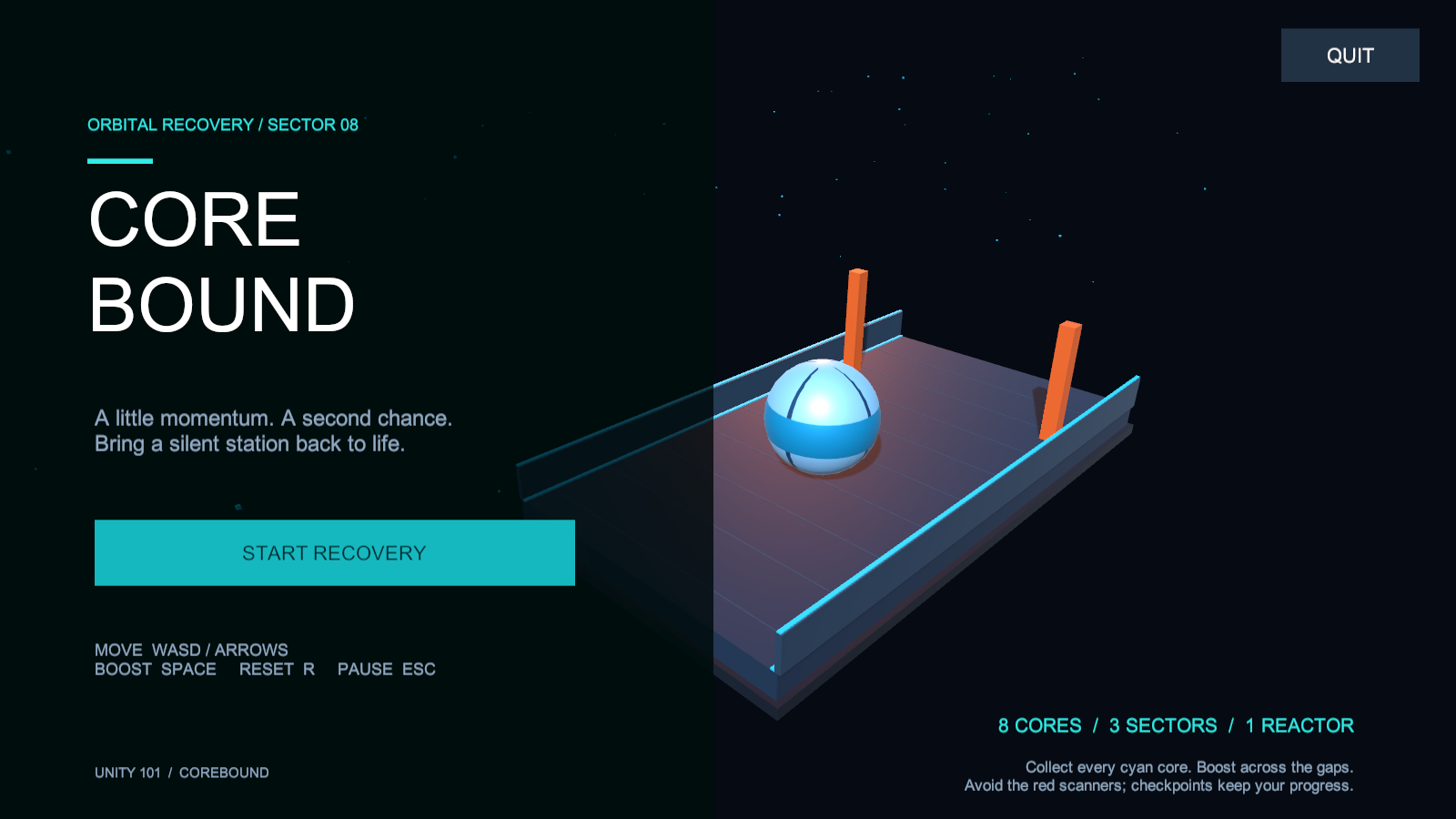
The existing project’s main menu in the Windows player.
The folders keep different parts of the project separate:
- Scenes contains the saved MainMenu and Game scenes.
- Scripts contains movement, game state, and interface behaviour.
- Prefabs contains reusable energy pickups and effects.
- Materials, Textures, and Audio hold the supporting assets.
Both scenes are included in the build. The source repository preserves the Assets, Packages, and ProjectSettings folders needed to reopen it.
Checking that it runs Link to heading
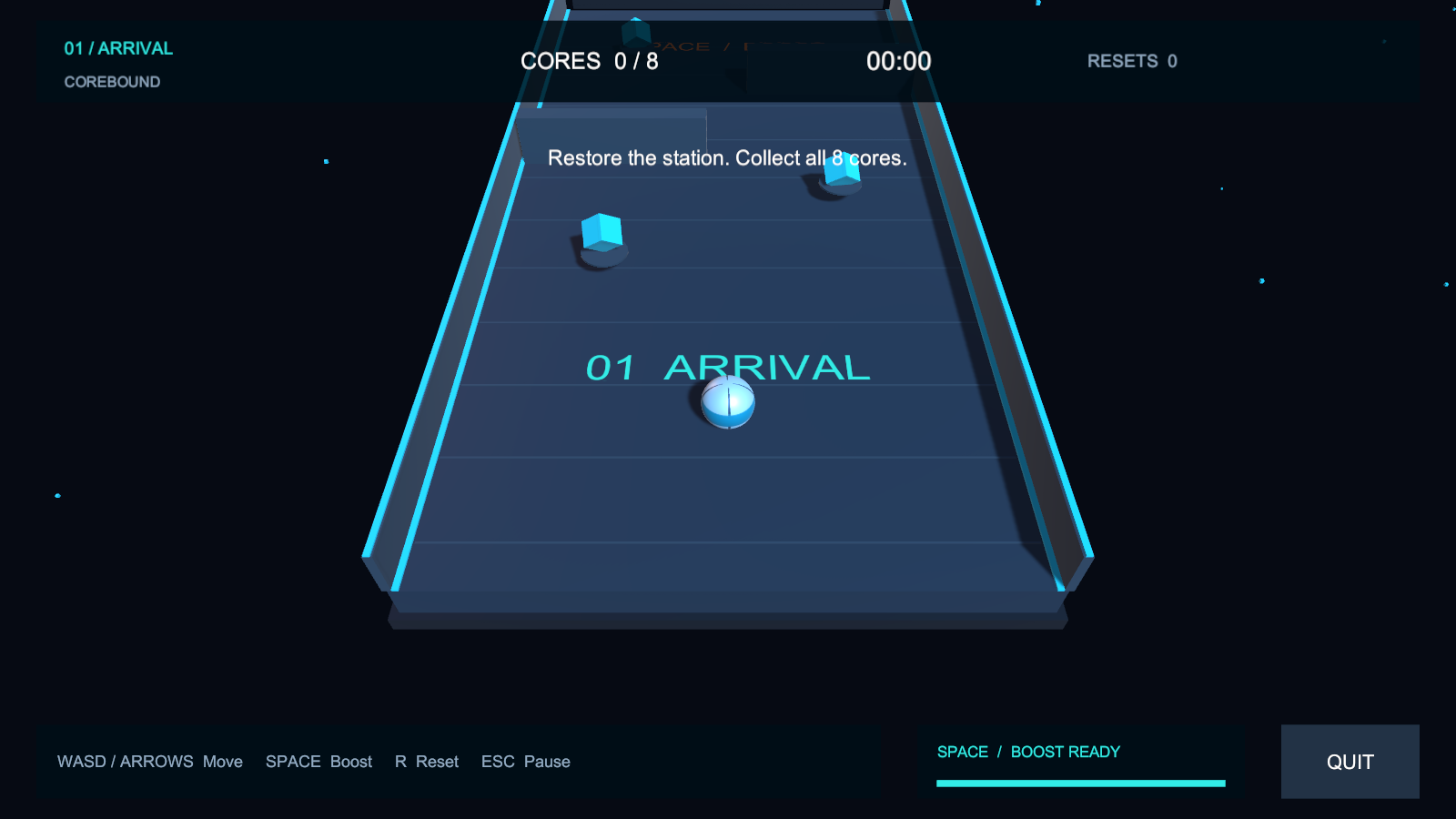
The Game scene, with movement instructions and a live HUD.
The recorded Windows verification passed 28 checks, including menu-to-game loading, physics movement, pickups, pause, victory, and returning to the menu. This is evidence that the environment produced a working application. Some checks repositioned the sphere to isolate triggers, so it is not a complete human keyboard playthrough.
One interface problem and its fix Link to heading
The buttons worked, but floor labels remained visible behind pause and victory panels. A recent reset message could also compete with the victory heading. Passing gameplay checks did not catch this readability problem.
Changing the floor text to World Space Canvas text was not enough. The final fix hides floor labels and temporary messages while paused or after winning, then restores the relevant information during play.
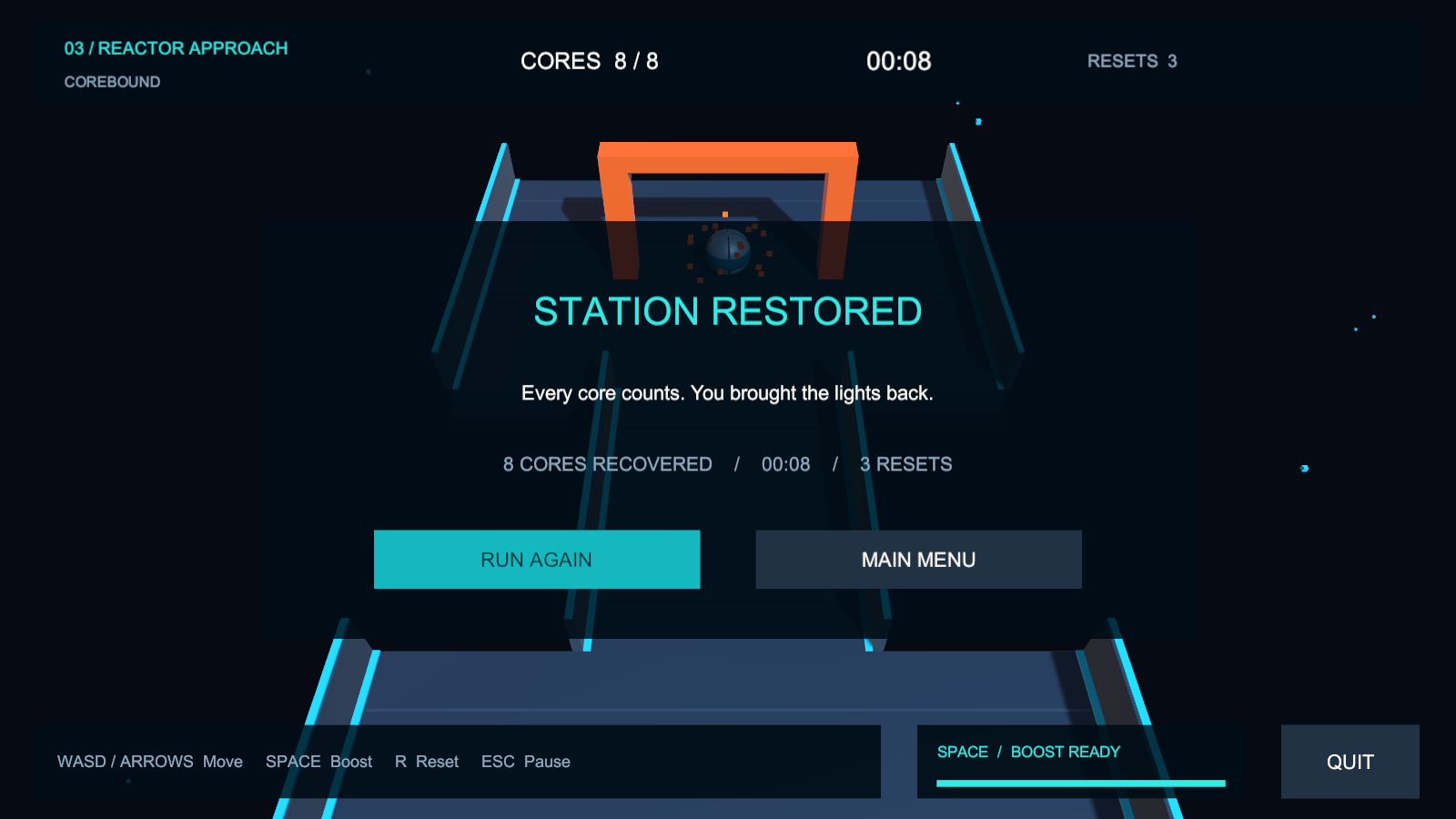
The corrected victory screen.
When reopening the project, use the recorded editor version and start from MainMenu. When sharing the Windows build, keep the whole extracted folder together, not just the executable. Functional checks and visual inspection are both useful: a working button can still sit in a confusing interface.
Open the Unity source project or download the Windows build. The Computer Graphics project post covers the gameplay implementation in more detail.