The desktop learning task has two roles: the cyan sphere follows its neural policy, while the gold target can move. For the mobile version, a touch pad replaces keyboard control of the target. It does not directly steer the sphere.
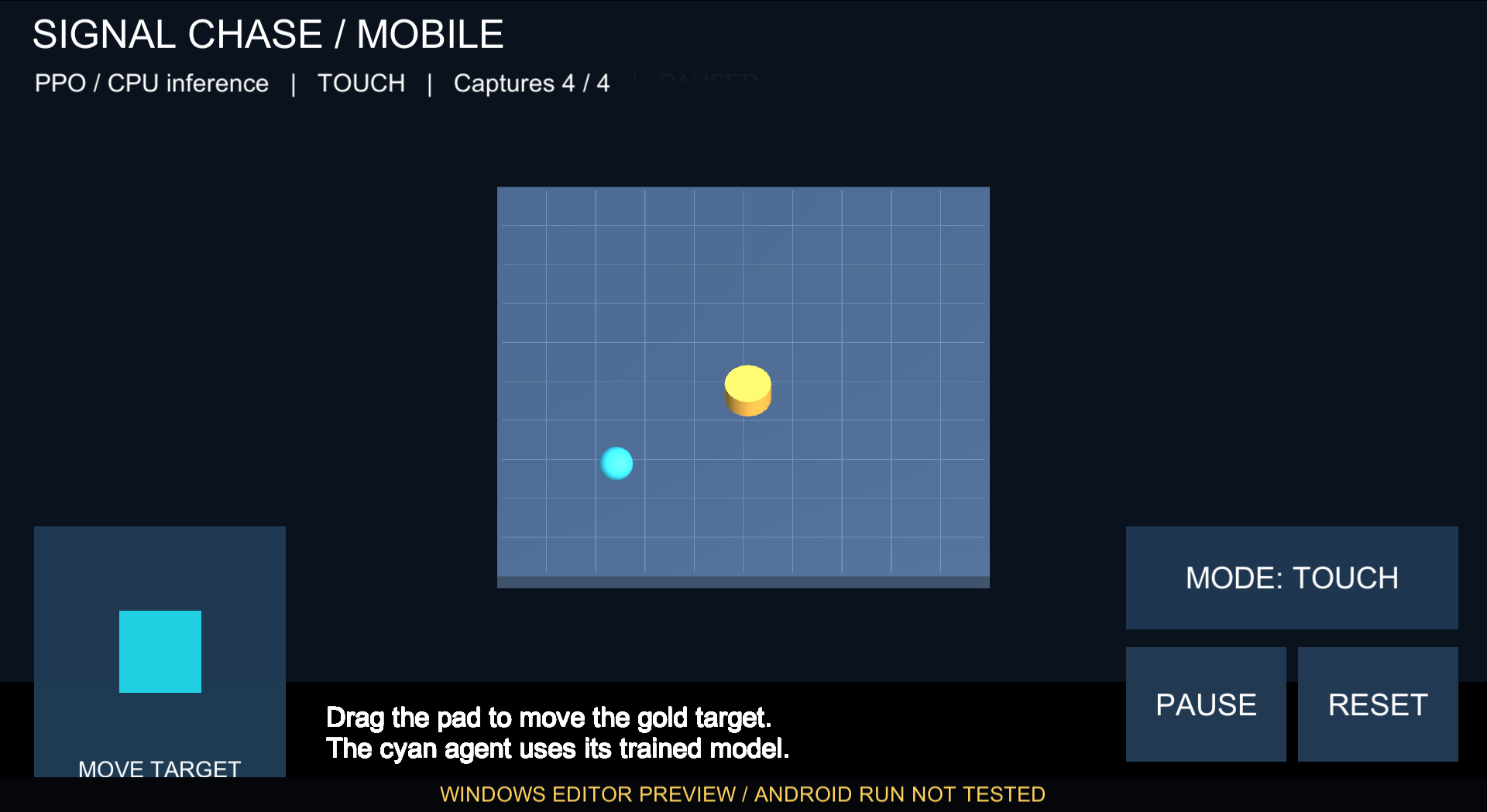
Windows Editor preview of the touch layout. This is not an Android screenshot.
Touch adaptation Link to heading
The interface is landscape. A large pad sits at the bottom left; Mode, Pause and Reset sit on the right. The layout uses the screen’s safe area to keep controls away from cutouts.
Mode cycles through three target behaviours:
- Static: a fixed goal and the reaching policy.
- Auto: a reflected moving goal and the chasing policy.
- Touch: the chasing policy follows a target controlled by the pad.
The joystick tracks one pointer, clamps its direction, and clears its input when released or disabled. Pause freezes the simulation while leaving Resume usable. Reset clears the pad and starts another attempt. Moving the app into the background also requests a pause.
The observation and action interfaces, low-friction physics and two trained models match the desktop project. The player selects CPU inference and includes the models, without a Python training process or network service.
Android build Link to heading
The project uses Unity 6000.0.23f1, ML-Agents 4.0.0 and Inference Engine 2.2.1. The Android configuration uses IL2CPP, ARM64 and x86_64, with Android 10 / API 29 as the minimum and API 35 as the target.
The first build stopped because CMake 3.22.1 was missing. Installing that SDK package fixed the prerequisite. Newly installed SDK, NDK, Java and build tools, together with their build caches, are on D:.
The Android build completed on 16 October. The APK is 61.7 MB and uses a development/debug signature; it is a coursework test build, not a store release.
Eight static checks passed: package identity, API levels, landscape launch activity, APK signature, both native architectures, Unity scene data, and the two source-model hashes. The copied download also matches the original APK’s SHA-256. These checks verify packaging, not successful execution on Android.
In a separate Windows Editor preview, eight joystick checks and thirteen interface/inference checks completed successfully. The Editor then crashed during inference cleanup on exit. That preview is not a clean end-to-end pass; the shutdown issue remains unresolved. Neither the preview nor its scores are Android results.
Device testing is deferred Link to heading
The APK has not been run on an Android device. The unaccelerated emulator on this machine crashed before Android booted, and device acceptance is deferred. Desktop policy scores are not mobile test results.
The remaining checks are startup and model inference on Android, actual touch and release behaviour, Mode/Pause/Reset, background and relaunch handling, safe-area layout and performance. A real phone test is still needed before describing the deployment part of Lab 2 as complete.
Project files Link to heading
Open the source project in Unity 6000.0.23f1. The README includes the build commands and the deferred phone-test procedure. The source archive excludes SDK downloads, build caches and the private debug signing key.