This lab connects image-based training to a Unity scene. The trained model stores coloured, transparent 3D Gaussians rather than a triangle mesh. Each Gaussian has a position, scale, rotation and opacity; overlapping splats form the image seen by the camera.
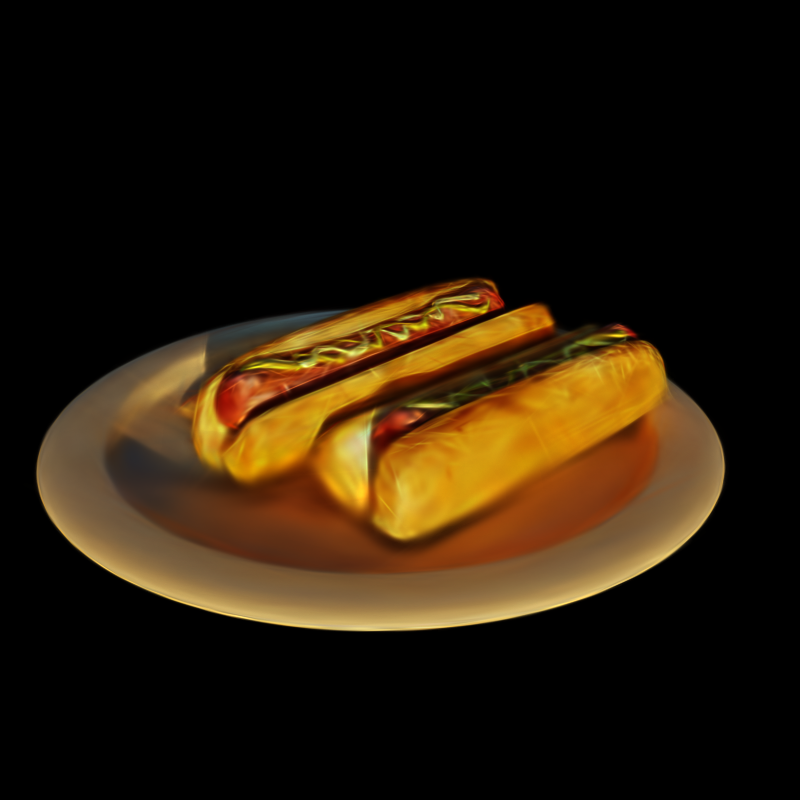
Actual Unity camera capture, with the desktop control overlay excluded. Soft edges and stretched details are still visible.
Sparse reconstruction with COLMAP Link to heading
A separate run used official PyCOLMAP 4.2.1 on the same 100 Hotdog training views. These were the original 800 × 800 images, composited onto black and saved as RGB. The ten validation views were excluded.
The COLMAP SfM pipeline ran SIFT extraction, exhaustive matching, geometric verification, incremental camera registration, triangulation and bundle adjustment. The run used CPU processing with eight threads and seed 20261021. A shared pinhole camera started with focal length 1111.11 pixels from the supplied field of view. No camera positions or rotations were given to COLMAP.
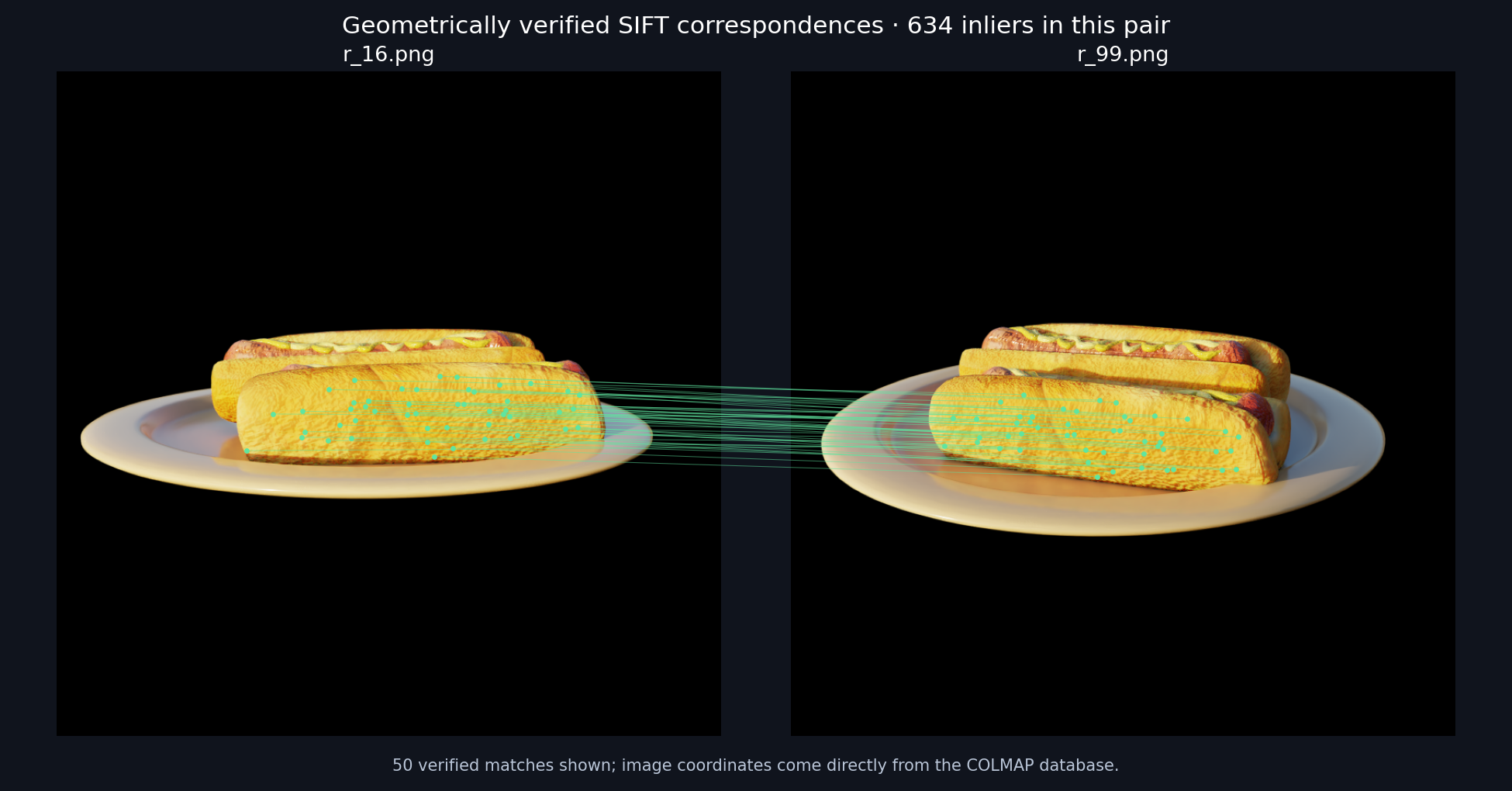
The pair r_16.png / r_99.png has 634 verified inliers; 50 are shown. Coordinates and matches come from the actual COLMAP database.
| Recorded result | Value |
|---|---|
| Extracted SIFT keypoints | 124,205 |
| Candidate image pairs | 4,950 |
| Pairs with at least 15 verified inliers | 2,010 |
| Registered images | 96 / 100 |
| Triangulated sparse points | 8,425 |
| Mean reprojection error | 0.529 pixels |
| Mean track length | 9.01 observations |
| Total process time | 72.68 s |
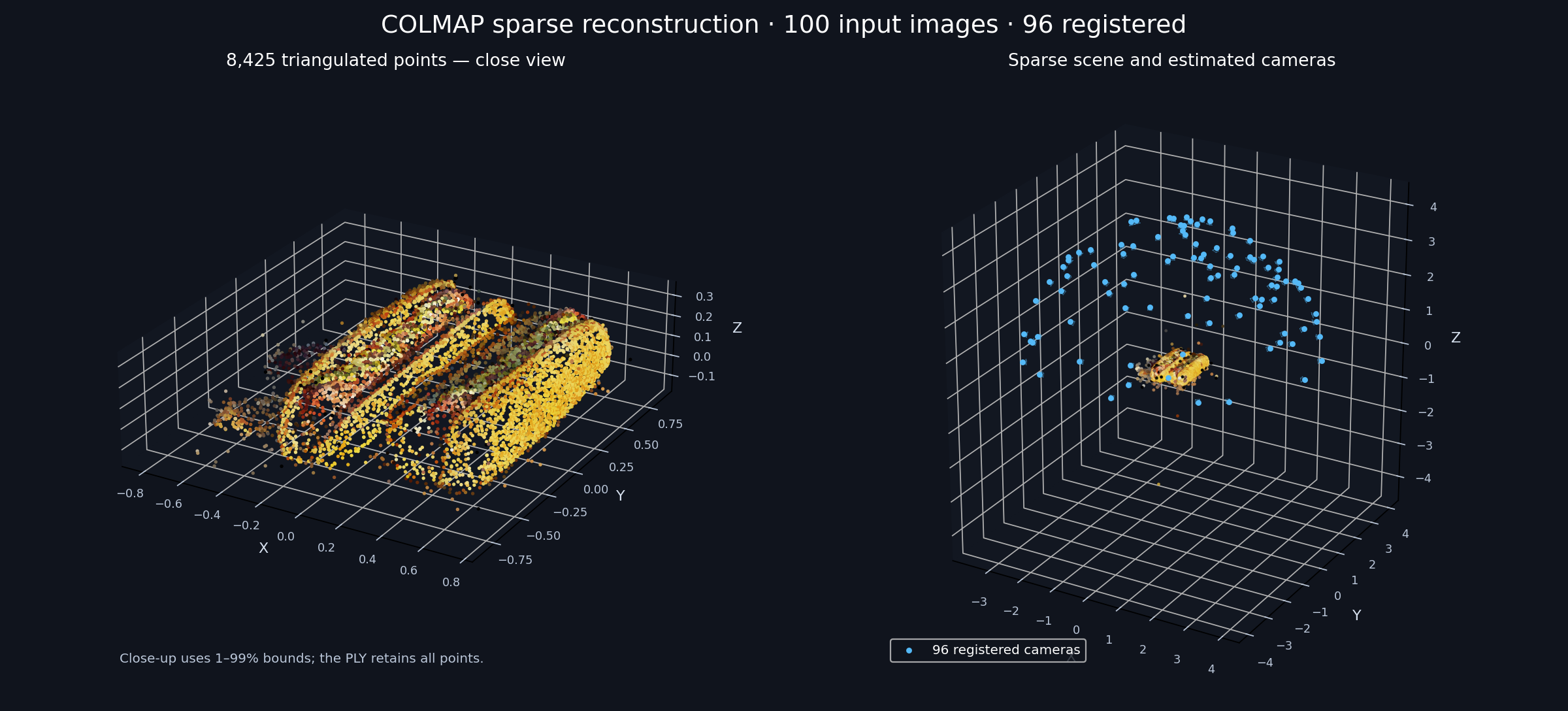
This is the SfM cloud, separate from the Gaussian debug points later in the post. A similarity fit to the supplied camera centres only orients this plot after reconstruction. The close view uses 1st–99th coordinate bounds plus a margin; the full-scene panel and exported PLY retain every point.
Four views did not register: r_15.png, r_69.png, r_79.png and r_91.png. The cloud has gaps and outliers, with more points on textured bread than on the smooth plate. It is a sparse feature reconstruction, not a dense surface. Reloading both the binary and text exports confirmed the recorded image and point counts.
- Download the COLMAP sparse model, scripts, log and recorded checks
- Download the sparse point cloud as PLY
- Download the sparse reconstruction metrics
Input and training Link to heading
The course slides introduce capture, training and importing a Gaussian asset into Unity. For this reproducible run, the input is the public NeRF Synthetic Hotdog scene: 100 training images and ten validation images with supplied camera poses. The original model is by erickfree, released as CC0; the rendered views come from a public dataset mirror.
The original Brush run below used the supplied poses rather than the new COLMAP estimates. Personal photography has not been carried out. The supplied poses let that experiment concentrate on training and Unity integration.
Images were resized from 800 × 800 to 400 × 400. Validation uses every tenth frame from the original validation split, giving ten views separate from the 100 training views. The source manifest records the original file hashes.
Brush v0.3.0 trained for 3,000 steps on an NVIDIA RTX 3060 Laptop GPU, using Vulkan. Settings: seed 20261019, spherical harmonics degree 3, refinement every 100 steps, growth stopping at step 2,500, and a cap of 100,000 splats. The process took 38.94 seconds including startup, evaluation and exports; Brush reported 33 seconds for training.
| Step | Validation PSNR | Validation SSIM |
|---|---|---|
| 1,000 | 23.61 dB | 0.8682 |
| 2,000 | 28.69 dB | 0.9406 |
| 3,000 | 30.40 dB | 0.9542 |
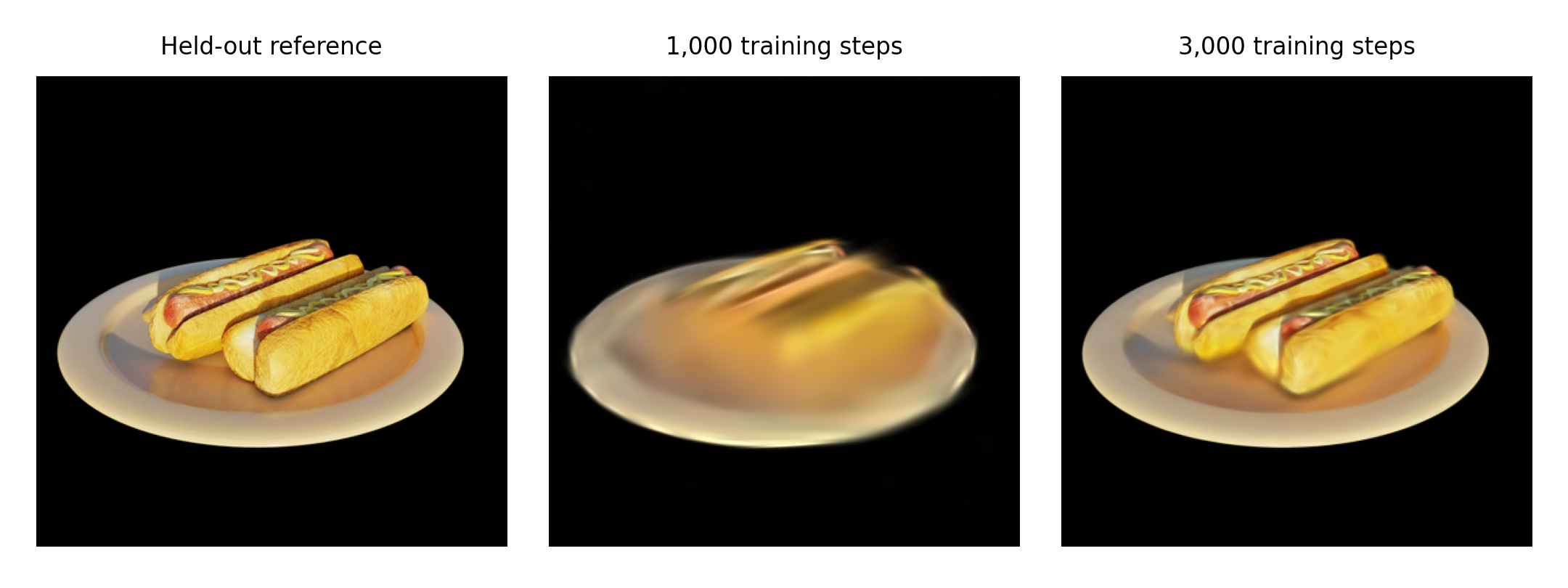
Same validation camera at both checkpoints. The final render recovers more of the bread, sausage and plate, though fine texture remains blurred.
An independent RGB check of the ten saved final renders gives mean per-image PSNR 30.3958 dB, with transparent reference pixels composited on black. These are validation measurements used during training. They are neither an untouched final test nor measurements of the Unity renderer.
Filtering and importing Link to heading
The final PLY contains 9,020 Gaussians. A small Python filter removes splats with opacity below 0.01 or a centre more than two scene units from the median centre. It removes 200 splats, leaving 8,820. There are 199 low-opacity splats and three distant splats, with two in both groups.
The raw export is preserved. These thresholds are specific to this experiment, and removing splats alone does not demonstrate better image quality. The raw and filtered Unity captures look very similar at this scale. This cleanup was scripted; no SuperSplat editing session is claimed.
The Unity project uses 6000.0.23f1 and aras-p’s Gaussian Splatting viewer, pinned to commit 2c6fed37da67a217367261fcfcd3316d34c73e76 (package 1.1.1). Both PLY files were imported with its Medium preset. The viewer source and MIT licence are included in the download.
A minimal package manifest first failed because the renderer references XRSettings. Adding the Unity VR module alongside XR resolved compilation. The Windows player uses Direct3D 12, Linear colour and no MSAA; this viewer does not support Direct3D 11. Reflecting Z for both the model and the provided camera poses keeps them in the same Unity coordinate system.
Checking the running scene Link to heading
The Windows build completed and the actual player rendered both models from three cameras: six captures in total. Runtime records confirm Direct3D 12 on the RTX 3060, with the expected 9,020 and 8,820 splats. A debug-point capture also shows the Gaussian centres.
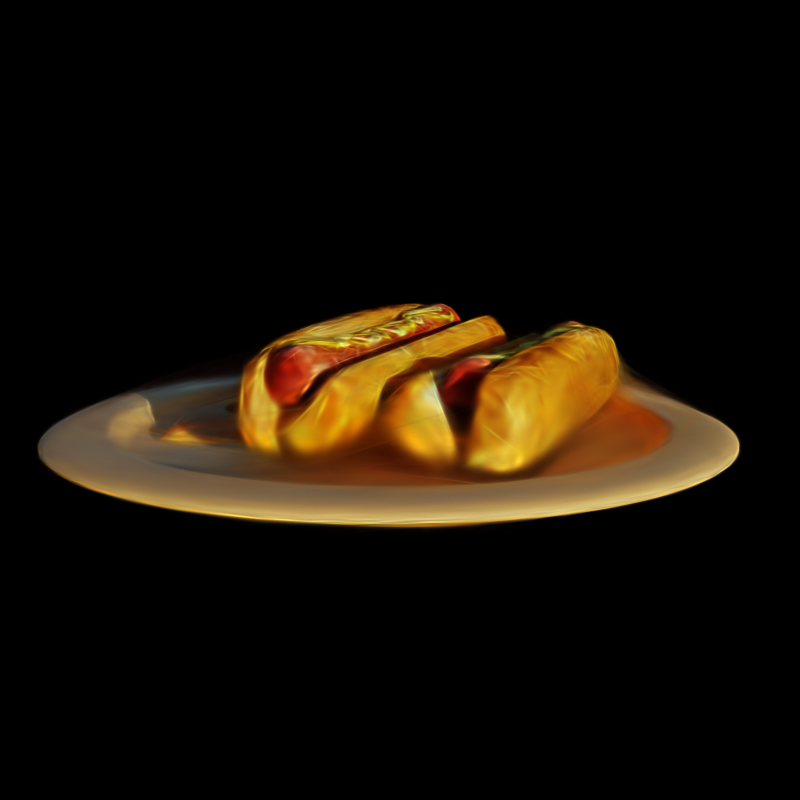
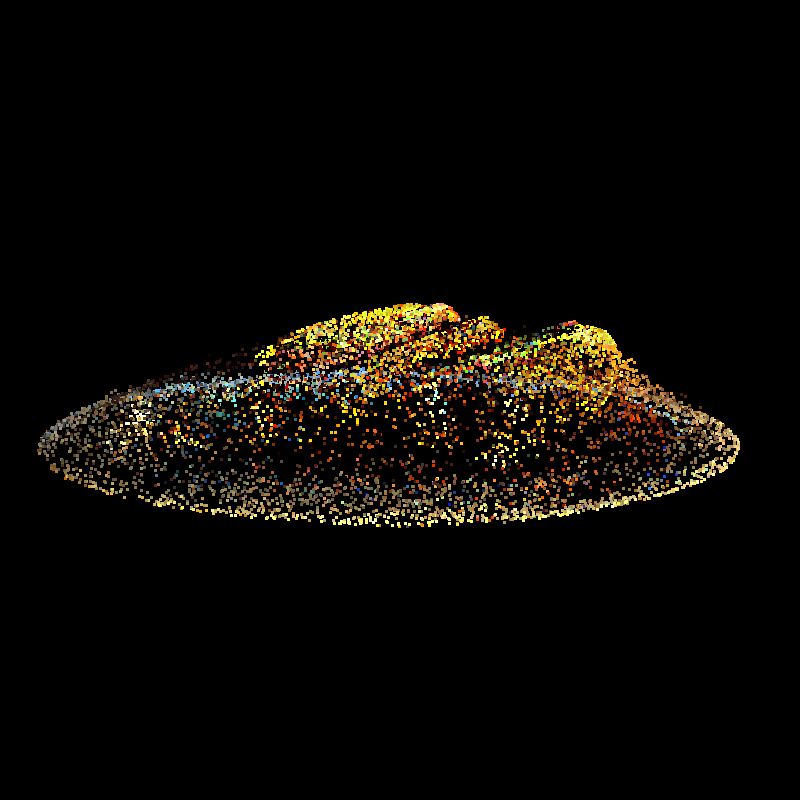
Left/Right selects the three cameras, C switches raw/filtered data, and P switches splats/debug points. The camera captures were inspected for visible content and consistent orientation. This check does not establish a frame rate, VR support or mobile compatibility.
The editor reported two persistent allocations when exiting after import. The build and player checks passed, but that importer warning remains in the local log.
Files and remaining work Link to heading
- Download the Unity project, PLY models, preparation scripts and recorded checks
- Download the experiment results
Open UnityProject/Assets/Scenes/SplatLab.unity in Unity 6000.0.23f1. The archive includes the imported assets, so viewing the scene does not require retraining. Its README explains downloading the input images and Brush separately for a new training run.
The next useful extension is a personally captured object with estimated camera poses. That would check the capture stage, where coverage, lighting and pose errors are less controlled than in this synthetic scene.